Real-time Collaboration
Share Your Project
- To collaborate with co-authors, share the invitation link.
- Share with Edit Access
- Share with View Access
- Co-authors who receive the link can join the invited project directly.
- You can also view the list of users who have access to the project.
Adding Comments
- To add a comment, highlight text in the editor. A toolbar will appear — click Comment to write your note.
- All comments written in the editor are collected in a list view within the Feedback panel.
- Use the center toggle button to open or close the Feedback panel.
- You can view the total number of comments, how many are resolved, and see all comments across the entire project.
React with Emojis
You can react to comments using emojis.
You can choose from 5 emoji types, select multiple reactions, and click an emoji again to remove your reaction.
Dropdown Menu for Comment Card
- Copy link
- Delete
Track Change
-
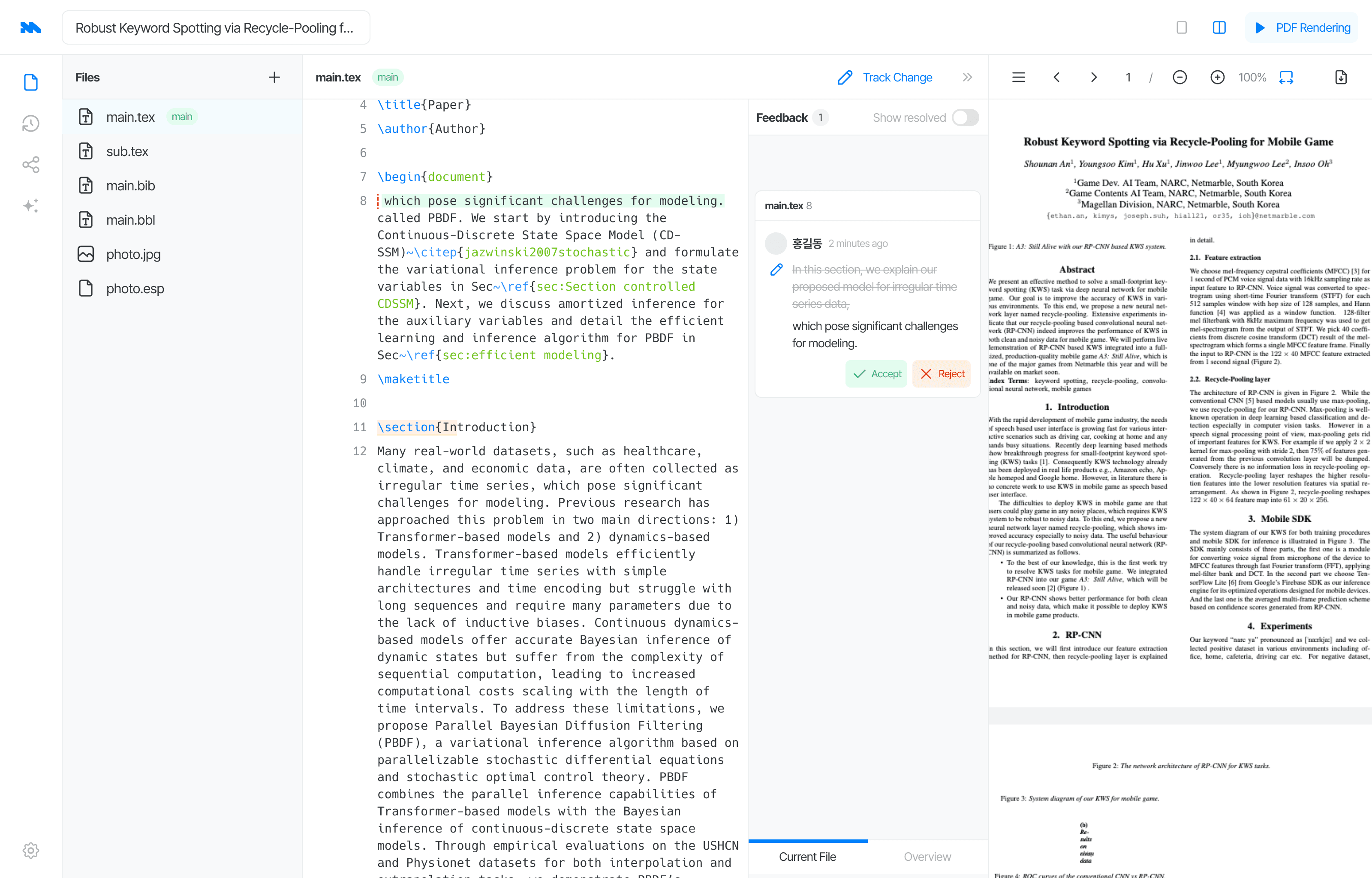
Enable Track Change in the Editor.
If you access the project with view-only permissions, the Track Change button will not be visible.
-
You’ll see real-time edit cards reflecting changes made by collaborators in the document.
- Delete: When content has been removed
- Edit: When content has been removed and new content has been added
- Add: When new content has been inserted
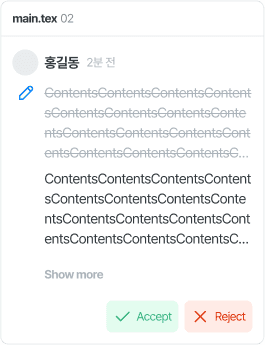
Delete
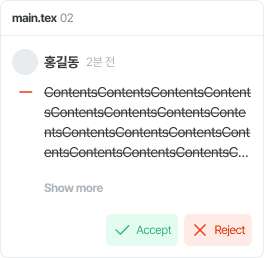
Edit
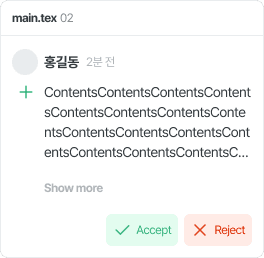
Add
- When Track Change is enabled, any line with deleted content will be marked with a red dotted underline.
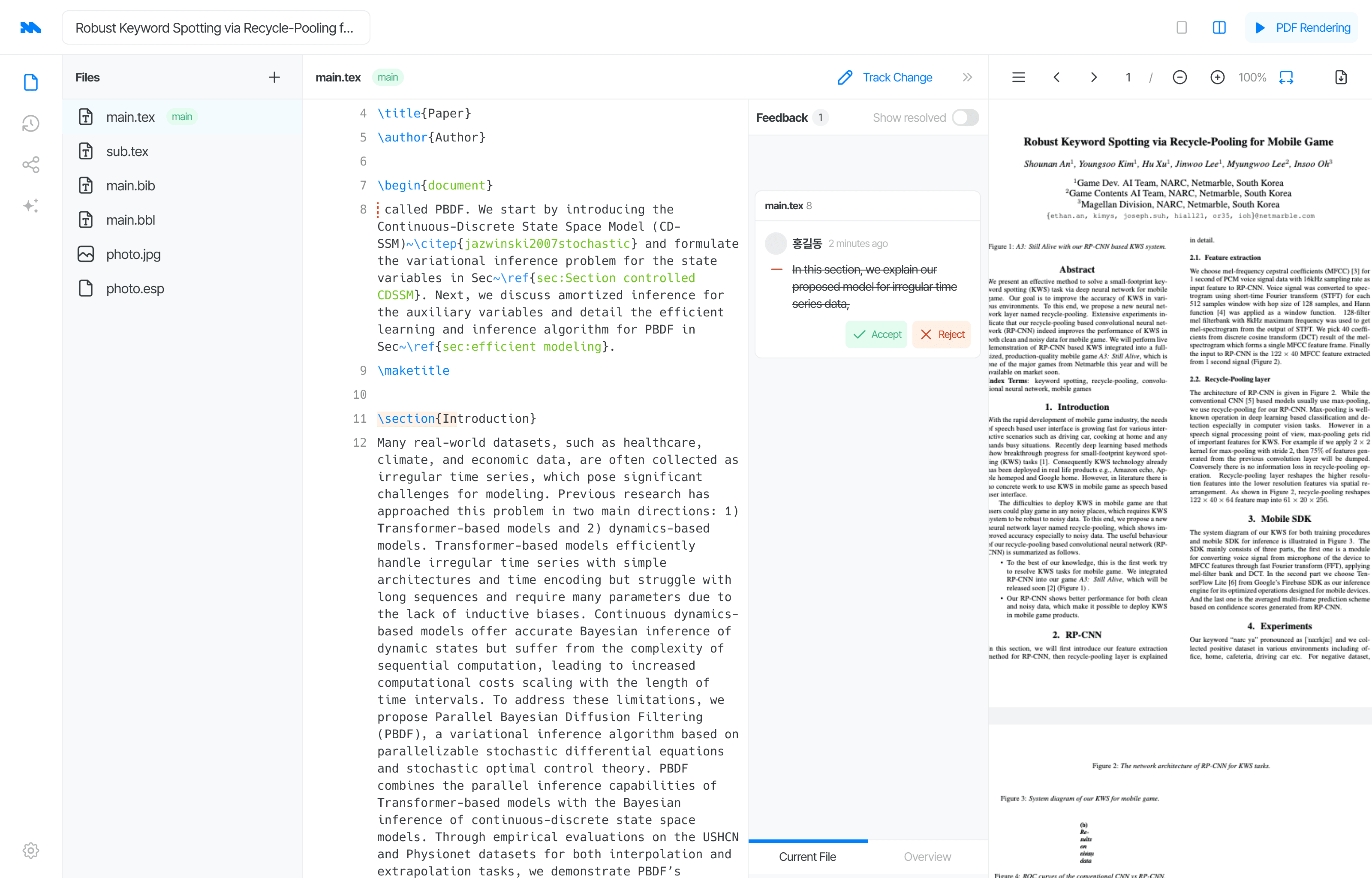
- When Track Change is enabled, added text is highlighted in green.
See your co-authors' cursors
When a co-author is working in the same file, their cursor appears in the text, and the text they have selected is highlighted in their own color. Hover over a cursor to see their name.
When someone restores a version
If a co-author restores a previous version in History, you'll see "Another collaborator restored a previous version, and the content has been updated."
More
- Share a project and manage roles: invite links, roles, and removing access.
- Comments and Track Change: reply, edit, resolve, react, and accept or reject suggestions.