Claude Code, Cursor, and ChatGPT edit and compile your Murfy project directly. Hand off everything from bringing new results into tables and plots to trimming the paper to a page limit.
What happened when Claude Code, connected to Murfy MCP, worked on a paper.
Bringing in new results
Claude CodeMurfy connected
You
Update Table 1 from results.csv, and add a plot of the ablation results.
localreadresults/results.csv
localreadresults/ablation.csv
murfyread_filepaper.tex
murfyedit_filepaper.tex2 edits
murfycompile2.9s · PDF ready
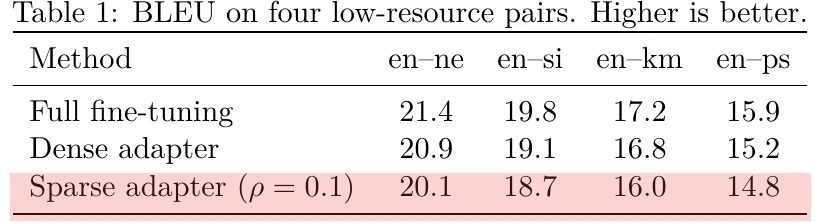
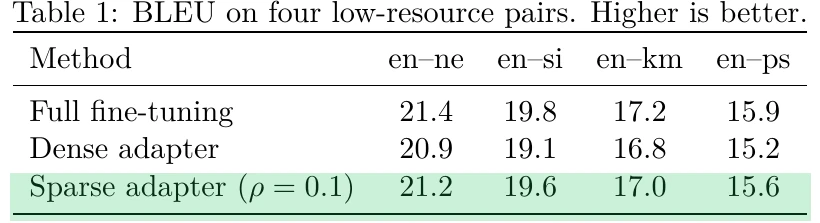
Updated the 4 numbers in the Sparse adapter row of Table 1 from results.csv, and drew the ablation plot as Figure 1. The paper compiles.
Result in the Murfy paperBeforeAfter
Fitting a 4-page limit
Claude CodeMurfy connected
You
Fit the paper into the 4-page workshop limit. Keep the tables and figures.
murfycompile
murfyget_compile_log5 pages
murfyread_filepage-limit.tex
murfyedit_filepage-limit.tex14 edits
murfycompile
murfyget_compile_log4 pages
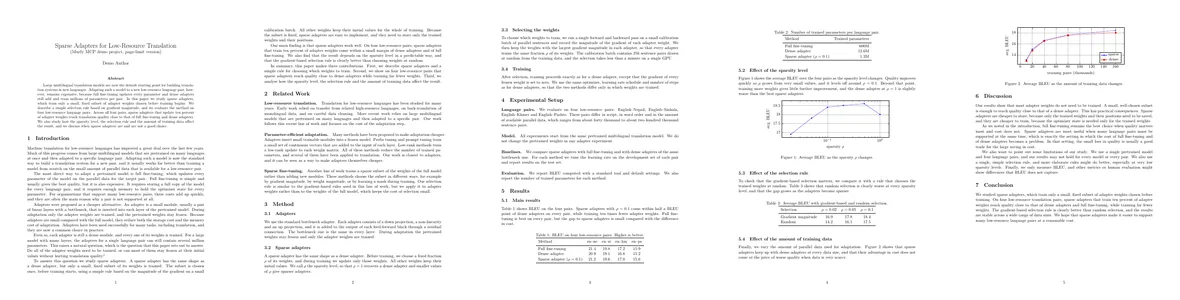
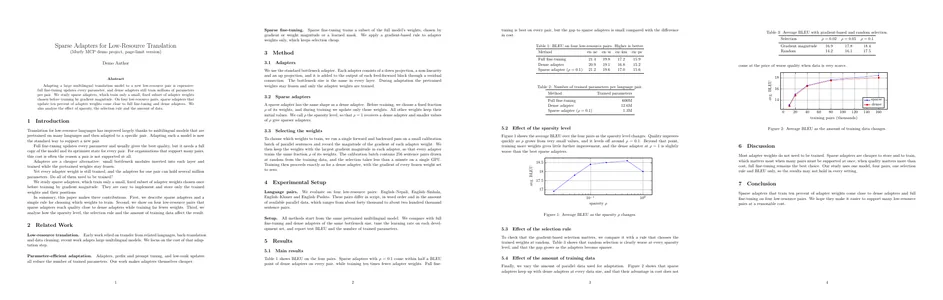
Down from 5 pages to 4. I kept the 3 tables and 2 figures, removed the repeated summary in the introduction, and shortened related work and the discussion.
Result in the Murfy paperBeforeAfter
The week before the deadline
From the day the experiments finish to the day you submit, here is what you can hand to Claude or ChatGPT.
Monday night
Monday night
The experiments finish · New results are in, but the tables and plots in the paper still show last week’s numbers.
“Update Table 1 from results.csv and redraw the ablation plot.”
Wednesday
Wednesday
A gap in related work · Three papers you read yesterday are missing from Related Work, the kind a reviewer will ask about.
“Add these three papers to refs.bib and summarize them in one Related Work paragraph.”
Thursday
Thursday
The pre-submission check · It is a blind submission, so no author name can slip through. Missing citations worry you too.
“Check the draft for author names or affiliations, and for any \cite missing from refs.bib.”
Friday, 3 a.m.
Friday, 3 a.m.
Five pages · The limit is four, and the new results pushed the paper a page over.
“Fit it into 4 pages. Keep the tables and figures.”
Do your paper work with the AI you already use
Connect Murfy MCP in Claude, ChatGPT, or Cursor, and that is all it takes.
Three steps, no install
1
Sign up for Murfy
A free account is enough.
2
Add Murfy MCP to Claude or ChatGPT
Copy the URL from the 'Connected apps' screen in Murfy, and paste it where Claude or ChatGPT adds an MCP server (custom connector).
3
Choose Allow
Claude or ChatGPT opens a Murfy page. Allow access, and you’re connected.
Questions about Murfy MCP
What is MCP?
MCP (Model Context Protocol) is the standard way AI like Claude and ChatGPT works directly with other apps. Without it, the AI only sees what you paste into the chat. With Murfy MCP, it can open the .tex and .bib files in your Murfy project, read and edit them, and run compiles. You keep writing in Murfy with your co-authors, and hand off only the tasks you want to.
Besides Claude and ChatGPT, which AI works with Murfy MCP?
Most AI that supports MCP connections can use it, including Antigravity, ChatGPT, Claude, Claude Code, Codex, Cursor, and VS Code.
Which Murfy plans include MCP?
Every Murfy plan can connect, including the free Starter plan.
Will my co-authors see the changes?
Yes. Edits go straight into the document, just as if you typed them, and co-authors see them. Ask the AI to show changes before it edits if you want to review them first.
What if the AI edits the wrong thing or deletes a file?
Deleted files can be restored from Murfy history. In projects where you only have view access, the AI cannot edit anything. For important changes, ask it to show you the edit first.
Do I need to install anything?
No. Murfy MCP runs in the cloud. Add the Murfy MCP URL to Claude, ChatGPT, or another AI, and allow access on the Murfy page that opens.
How do I disconnect an AI?
Go to Settings > Connected apps in Murfy and choose Disconnect next to the AI you connected. It loses access right away, and nothing in your projects changes.
Next time your results change, let your AI update the paper.
Start with a free Murfy account, then connect Murfy MCP to the Claude or ChatGPT you already use.